Solution Spotlight - Google Drive Sync
Focal's Google Drive Sync bridges the gap between Drive's storage convenience and the structured asset management performance teams need.
Andreas Stenman
Google Drive is one of the most popular solutions for storing marketing assets. It is a great universal tool for storing all kinds of files, everyone in the company typically has access to it, most people have used it before, and it is where the never-ending list of spreadsheets that power most businesses live.
When it comes to creative assets, however, Google Drive leaves a lot to be desired. This is true especially in the case of performance marketing, as the there is a constant flow of new assets and tons of variations and iterations of each creative concept. No tagging capabilities means complex folder structures and asset names, which in turn requires a lot of manual work and discipline.
Aiming For The Best Possible Integration With Google Drive
With so many businesses currently relying on Google Drive for file storage, we decided to focus on an integration early on. For the past year, users have been able to bulk upload assets directly from Google Drive to Focal. Since launching this integration, we have received a lot of feedback that we've used to further developing the feature.
For a truly seamless connection with Drive, there are a few things we need to consider:
Most new Focal users have previously used Google Drive to store their marketing assets. When getting started, you don't necessarily have time to re-think your folder structure, you just want to import the existing structure to get started as quickly as possible.
After onboarding Focal, Google Drive often continues to be used as backup and for archiving assets. In an ideal world, this would happen automatically as assets get approved on Focal.
A lot of designers rely heavily on Google Drive's desktop sync functionality, since files can be opened directly into Adobe's tools. When existing files are replaced with new versions in Google Drive, that should also be reflected in the asset version history in Focal.
Introducing The New and Improved Focal Google Drive Integration
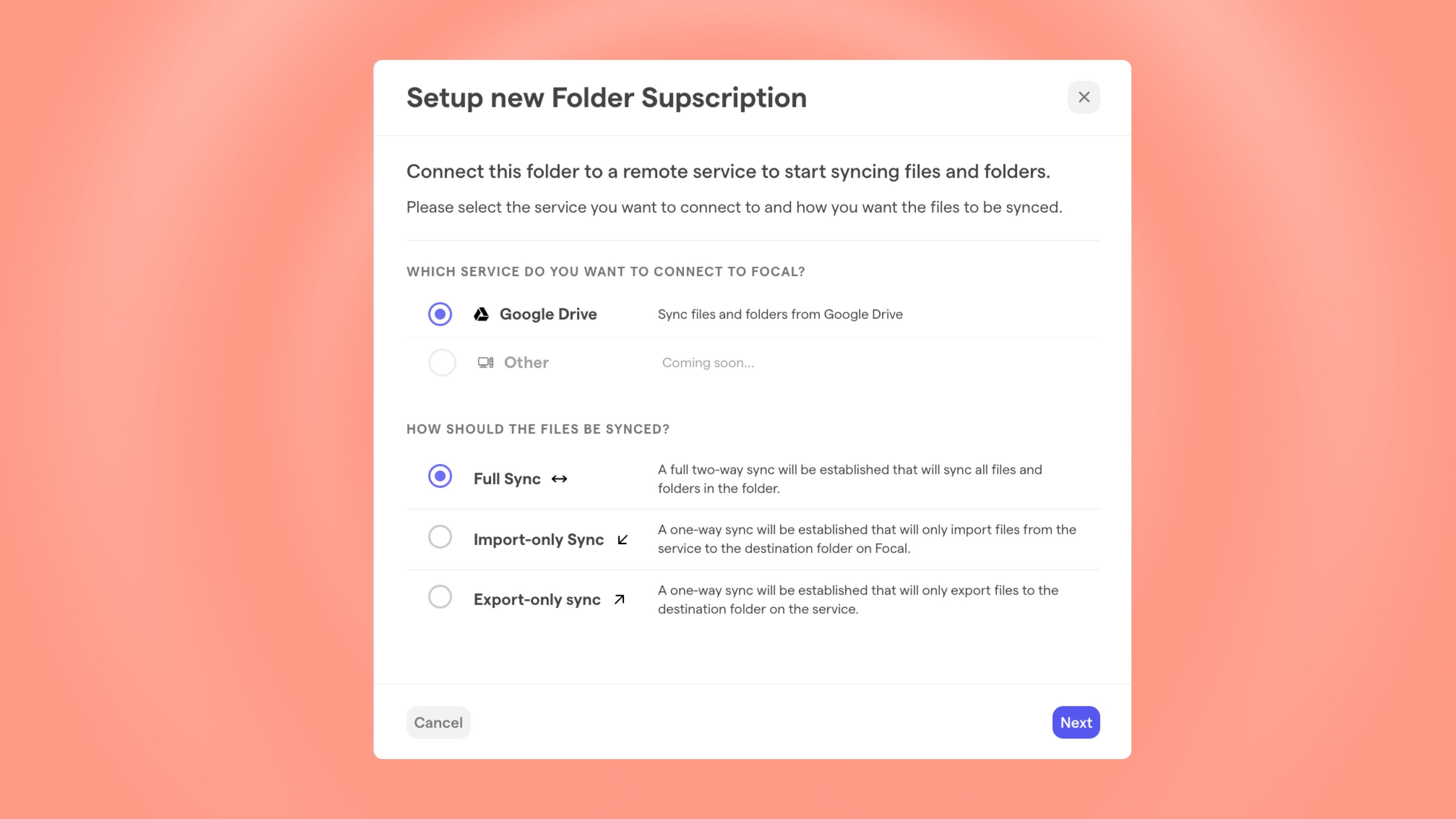
This week, we are rolling out major updates to our Google Drive integration, addressing user feedback and making the user experience much more streamlined than before. The biggest improvements include better importing that supports folder structures, easier archiving, and quick syncing of assets between Focal and Google Drive.
Get Started With Focal Instantly
The import functionality is no longer restricted to simply importing files in bulk from Drive. You can now import the entire folder hierarchy and files contained within each folder.
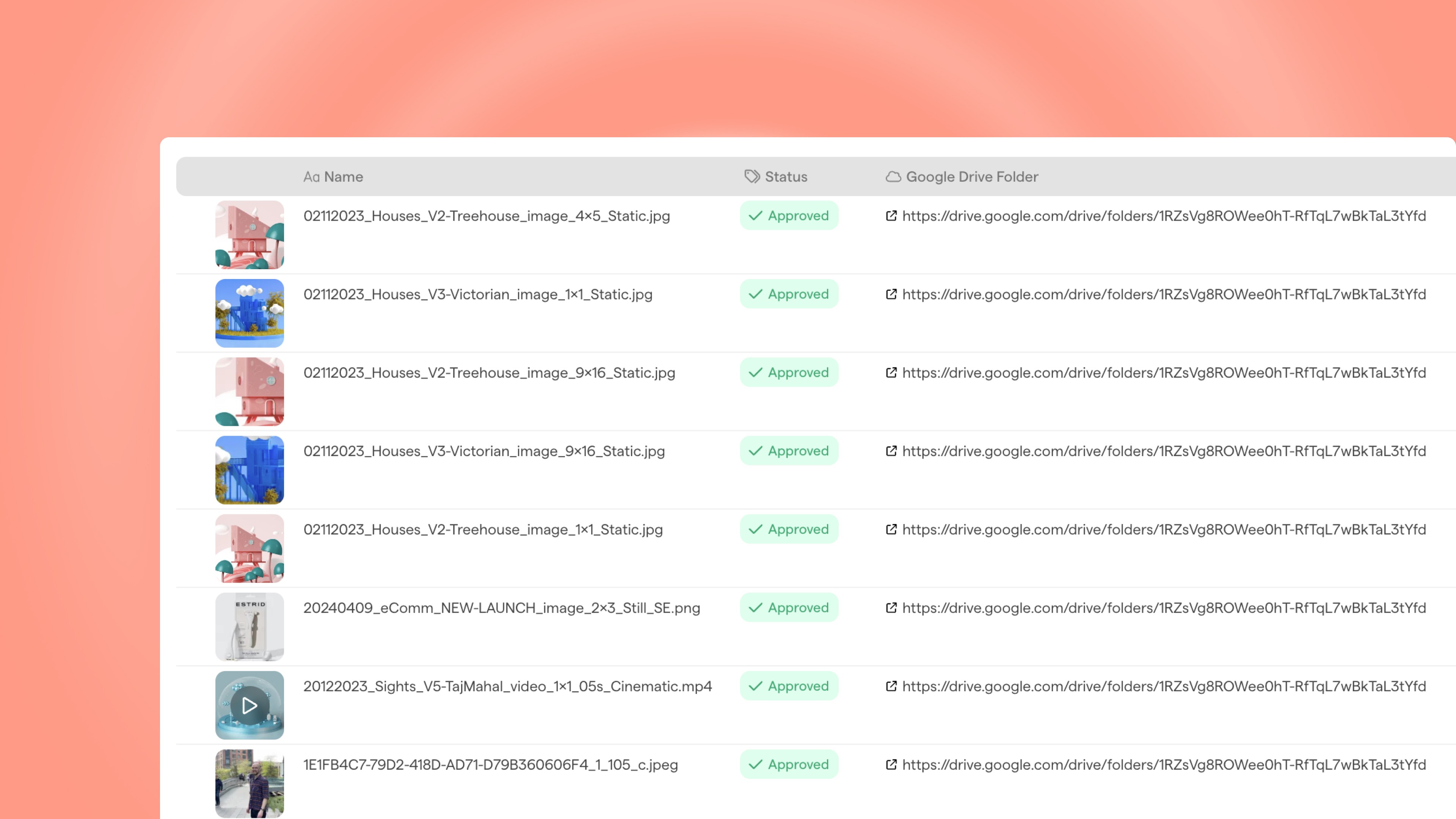
Once new assets have been imported to Focal from Google Drive, Focal automatically keeps track of the file and folder URLs in Google Drive, and you can easily display them as a new column in the Focal asset library. This helps make asset management more streamlined, helping you get started with Focal faster and reducing the need to manually replicate folder structures in Focal.
Back Up And Archive Content With Ease
The improvements aren't limited to importing things into Focal. Similar to the importing functionality, we are also improving our export capabilities. So if you are building a set of assets using a certain folder structure, you'll be able to export the entire folder hierarchy over to Drive as well. This makes backing up content and archiving assets a lot easier.
Instant Sync Between Focal and Drive
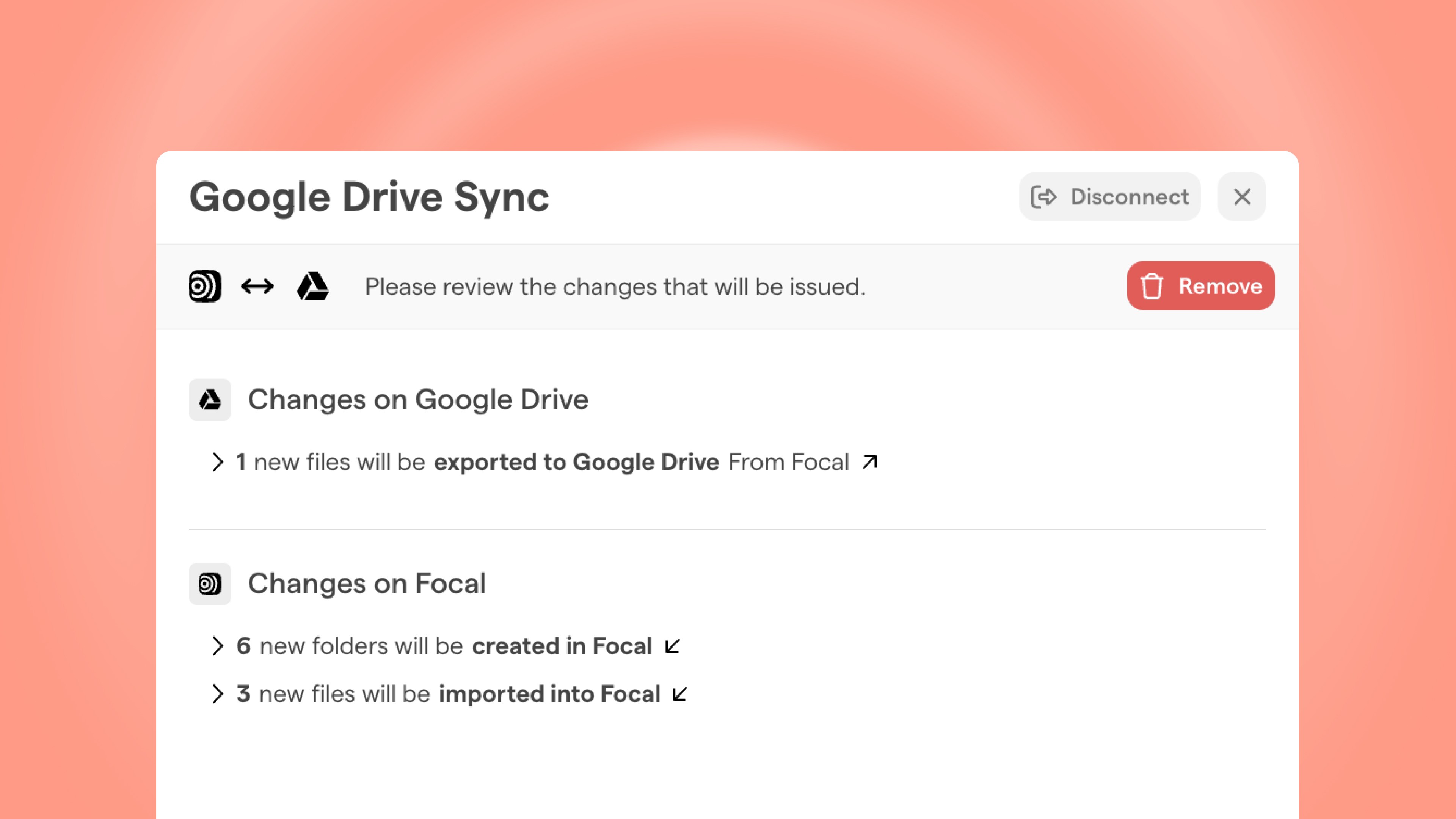
The biggest improvement of this update is our new Instant Sync functionality. The ability to sync assets considerably reduces the need for manual imports into and exports out of Focal and makes working with new files faster. It also eliminates the need for doing a manual migration from Google Drive to Focal when you start using our software.
Once you've connected a folder in Focal to a folder in Google Drive, we will continue to monitor any difference between the two and highlight when there are new assets to import or export. Once assets or folders are added on either side, this will be displayed as a notification in the Focal asset library. When you are ready to sync the files, just click on "Sync", and any new assets added to the Google Drive folders will automatically be uploaded to Focal. This includes both new files being added and new versions being saved. The same thing goes for exports. When you sync a folder, any new assets or sub-folders that show up in Focal will automatically be exported to your Google Drive.
Streamline Your Workflow With Our Improved Google Drive Sync
All current and future Focal customers relying on Google Drive for asset storage can considerably streamline their workflow thanks to this update. It also makes it possible for new customers to start using Focal while still keeping their Google Drive fully in sync, enabling a risk-free way to test and onboard Focal like a layer on top of Google Drive.