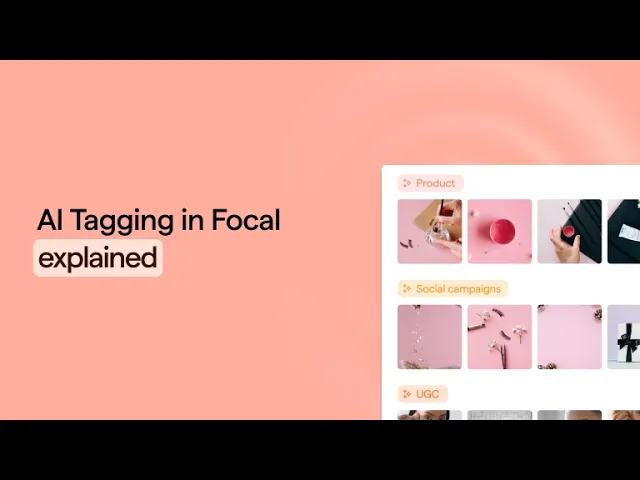
Feature Focus: AI Tagging in Focal — How It Actually Works
Focal's AI tagging is built around your taxonomy, not ours. Custom attributes, hook-mode analysis, competitor ad tagging, and performance filtering — here's what it does and what it doesn't yet.

Most creative libraries have a tagging problem. Not because no one tried to tag things, but because manual tagging is slow, inconsistent, and falls apart the moment ad volume scales. Someone leaves. A new agency comes on. Thirty new creatives arrive Friday afternoon. Nobody touches the backlog.
The answer isn't better discipline. It's a system that does the tagging automatically — and, more importantly, does it according to what actually matters to your team.
This is a close look at how AI tagging works in Focal: what you can configure, what it analyses, and what we'd tell you honestly it doesn't do yet.
Your taxonomy, not ours
This is the detail that surprises most teams when they first see it.
Focal's AI doesn't apply a fixed set of generic labels — "video", "lifestyle", "product". You build the taxonomy yourself. Attribute names, value options, and the descriptions that tell the AI when to apply each tag. This means you can be as precise and flexible as you desire.
Once you've set up the instructions, any new assets you bring into the system will be analyzed automatically according to your configuration.
To give you a practical example: If you want a "Hook Type" attribute with values like "Price anchor", "Problem-first", and "Social proof intro", you define that. You write a description for each — "Apply when the video opens with a specific product price or a price comparison within the first three seconds" — and Focal's AI uses those descriptions to decide when to apply the tag on upload.
The accuracy of AI tagging scales directly with the precision of your descriptions. Vague descriptions produce vague tagging. Specific, well-written descriptions — the kind a creative strategist writes — produce reliable, consistent results across thousands of assets.
Hook mode: tagging the first three seconds only
A question that comes up consistently: "Can we scope the AI to just the hook?"
Yes. Focal has a hook mode toggle that limits analysis to the first three seconds of a video. This matters when you're tagging hook types and don't want the rest of the creative to influence the classification. A video that opens with a price anchor and then pivots to a testimonial-style middle section should be tagged as "Price anchor hook", and not influenced by the 30 seconds that follow.
Hook mode applies per attribute. So you can run hook-specific attributes against the first three seconds while letting other attributes — value prop, format, setting — analyse the full video. The analysis is scoped to what you actually need to know about each part of the creative.
Adding new tags mid-stream
Creative strategies evolve. A new creative angle gets introduced mid-quarter. A new agency partner brings a format you've never tested before. You need to track something you didn't anticipate.
The common concern: "If I add a new attribute now, do I need to retag everything?"
No. You add the new attribute, write a clear description, and from that point forward new uploads are tagged automatically. For existing assets, you can manually re-trigger tagging at any time — on a folder, a selection, or the full library. Focal re-runs the analysis against the current taxonomy and updates the tags.
You're not locked into the taxonomy you set up on day one. The system is designed to evolve with your creative strategy, not constrain it.
Tagging competitor ads
This is a workflow more teams run than admit to.
Any uploaded video — including ads you've grabbed from competitors — is analysed and tagged the same way as your own creatives. A common setup is a dedicated folder or space for competitor content with the same taxonomy applied. Same hook type attributes. Same value prop classification. Same format tags.
What you get out of this: a structured, searchable competitor swipe file that isn't just a folder of renamed .mp4 files. You can filter competitor ads by hook type, see which angles they're leaning into and spot format patterns. Useful for briefing, for spotting gaps in your own creative mix and for making the case internally when you want to test a concept you've already seen working elsewhere.
AI creative analysis connected to performance data
Tagging in isolation is useful. Tagging connected to performance data is what makes AI creative analysis actually strategic.
Once assets are tagged with your custom taxonomy, performance data aggregates by those tags. You can filter the asset library by ROAS, CTR, spend, or hook rate and cross-reference against any taxonomy attribute. So instead of asking "which ad performed best last month," you can ask: which hook type drives the highest engagement? Which value proposition has the best ROAS across all our Meta spend? Which creative format under-indexed?
The answers come from the tag layer. The more consistent and precise your tagging, the more useful the performance breakdown. That's why taxonomy setup matters — it's not just an organisational decision, it's a data infrastructure decision.
What AI tagging doesn't do – yet
Two limitations come up often enough to address directly.
Creator identification
Facial recognition for automatically identifying specific UGC creators is in development but not yet available. The current workaround is writing a physical description of the creator in the attribute prompt. This works reasonably well when creators are distinct. Automated face-based recognition is coming; it's not live today.
Space-level settings
AI tagging is currently a space-level setting, meaning it applies to all media in a space rather than specific columns, folders, or asset types. If you want to tag final creatives but not reference footage or imported competitor ads, you'd need to organise those into separate spaces for now.
The library that compounds
A creative library tagged at this level does something different from a folder full of named files: it gets more useful with time, not less.
Every sprint adds to a structured, searchable record of what was tested: which hooks, which formats, which angles, at what spend. Briefing the next sprint starts from that record. The question "have we tested a price-anchor hook with a lifestyle setting at less than 15 seconds?" has an actual answer. The whitespace in your creative testing becomes visible without anyone manually auditing the library.
That's a different starting point for creative strategy than most teams are working from today.
If you want to see the taxonomy setup in practice, the AI Tagging feature page covers the specifics. To see it with your own creatives and taxonomy, book a demo — the best way to evaluate this is with content you actually recognize.