Connecting the Dots - Google Drive is Now Integrated to Focal
Focal announces its Google Drive integration, making it easy to sync and access marketing assets without switching tools.
Connecting the Dots - Google Drive is Now Integrated to Focal
Let's face it, no one likes to work in an environment where you have to spend ages to find something. What our lives would be if every time we wanted to eat, we'd have to search all our kitchen drawers for a fork and knife? We expect to find them without a second thought.
As such, why would we require any less for our work environment?
We use storage for almost everything. For many, the carpenter's toolbox has now been superseded by internet and apps but they all still have to do one crucial thing - keep our assets in place. To organize them, we use all kinds of strategies - bookmarks, folders, labels. Everything to minimize the overhead of keeping track of them and to maximize our meaningful work.
While this problem is almost universal, let's focus on the main audience of this blog post - creative assets. In the hands of a designer, an interesting picture or a video can turn into an appealing poster, video clip or a landing page that tells the viewer instantly what words are unable to express.
But here's the catch, in order to do so one must first find the right picture of all the available options.
It's easy enough if you've tailored the image for this particular project but as you start to accumulate files, you have to methodically organize and curate them if you ever want to make sense of what you already have.
We at Focal have seen these problems at first hand. A majority of the marketing and design teams we talk to rank organizing and sharing their assets as one of the biggest problems they face.
A majority of the marketing and design teams we talk to rank organizing and sharing their assets as one of the biggest problems they face.
Google Drive
The primary tool for many teams to store data is Google Drive. Ubiquitous in its use, Google Drive is a great universal tool for storing any files. From legal documents proving your ownership of a property to occasional cat videos, you can trust Drive to keep your files intact.
However, once you start scaling Google Drive to ever larger data sets, terabytes even, you start to face challenges. In Google Drive and other, classical files systems, you organize your files into folders. These folders establish a hierarchical relationship where a parent folder, such as "images", helps you to narrow down choices until there's only few options left.
This hierarchy though, can be quick to crumble. Without proper maintenance and guidelines, you might end up losing the hierarchical relationship you've so carefully assembled. Say adding one-off working files - where to put them? Or what about this one particular clip that doesn't seem to go anywhere? Suppose you just put it in the "other" folder?
The discipline required to maintain a good working file hierarchy is hard and draining. Especially considering scaling your team beyond a few users to a much larger organization where members come and go.
It comes then as no wonder most teams organize their assets by project-basis - a single folder containing all assets belonging to that particular project. This makes retrieval of the assets easy and straightforward - you've now put all your assets into the same kitchen drawer.
Does this fix all the problems? Well, let's consider assets that are reused from project to project - how do you import them to your project? Link them? Possible but tricky. And what about metadata? Comments, a discussion thread regarding the file? In many cases, people turn to services more tailored to these purposes, such as Slack, but which brings about the original problem - having your data scattered across multiple places.
Our approach
As part of our mission in making creative teams' lives easier, we have thought deeply about how to solve these problems. Since it's impossible to come up with a perfect file structure to organize everything, we want to streamline finding and working on materials as much as possible. This includes making sure your files at Google Drive or comments from Slack can be found in one place instead of many, and that all the relevant data is right at your finger tips when you need them.
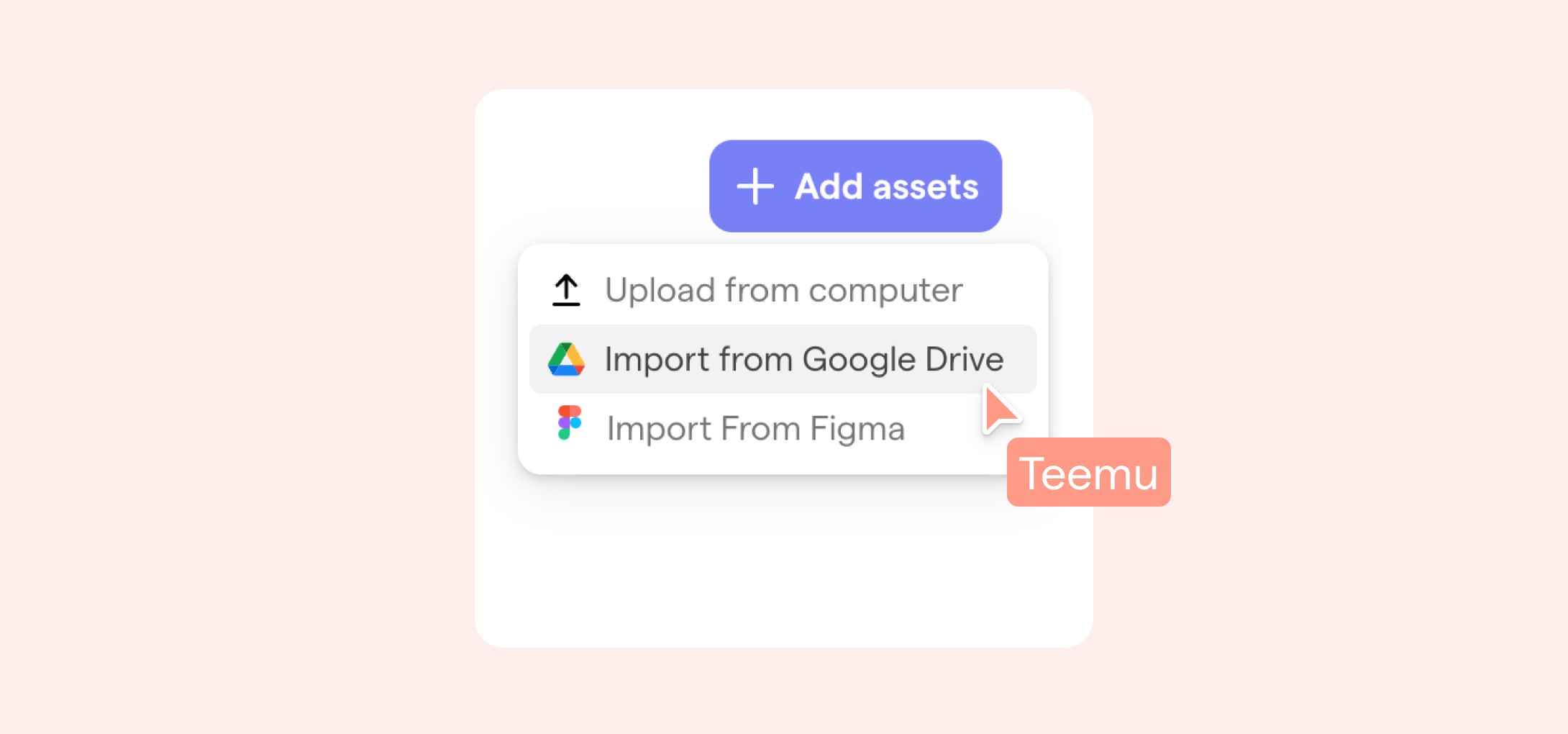
We are introducing Google Drive import to Focal as a step towards this direction. You can now import any images or videos from your Google Drive to Focal by simply pressing "/" in a text row and selecting "Media gallery" > "Import from Google Drive".
This will upload the assets to your library and scope them as only visible to those who can view the page. To make an asset global and visible to everyone, you can select it and click the Earth icon at the top left corner:
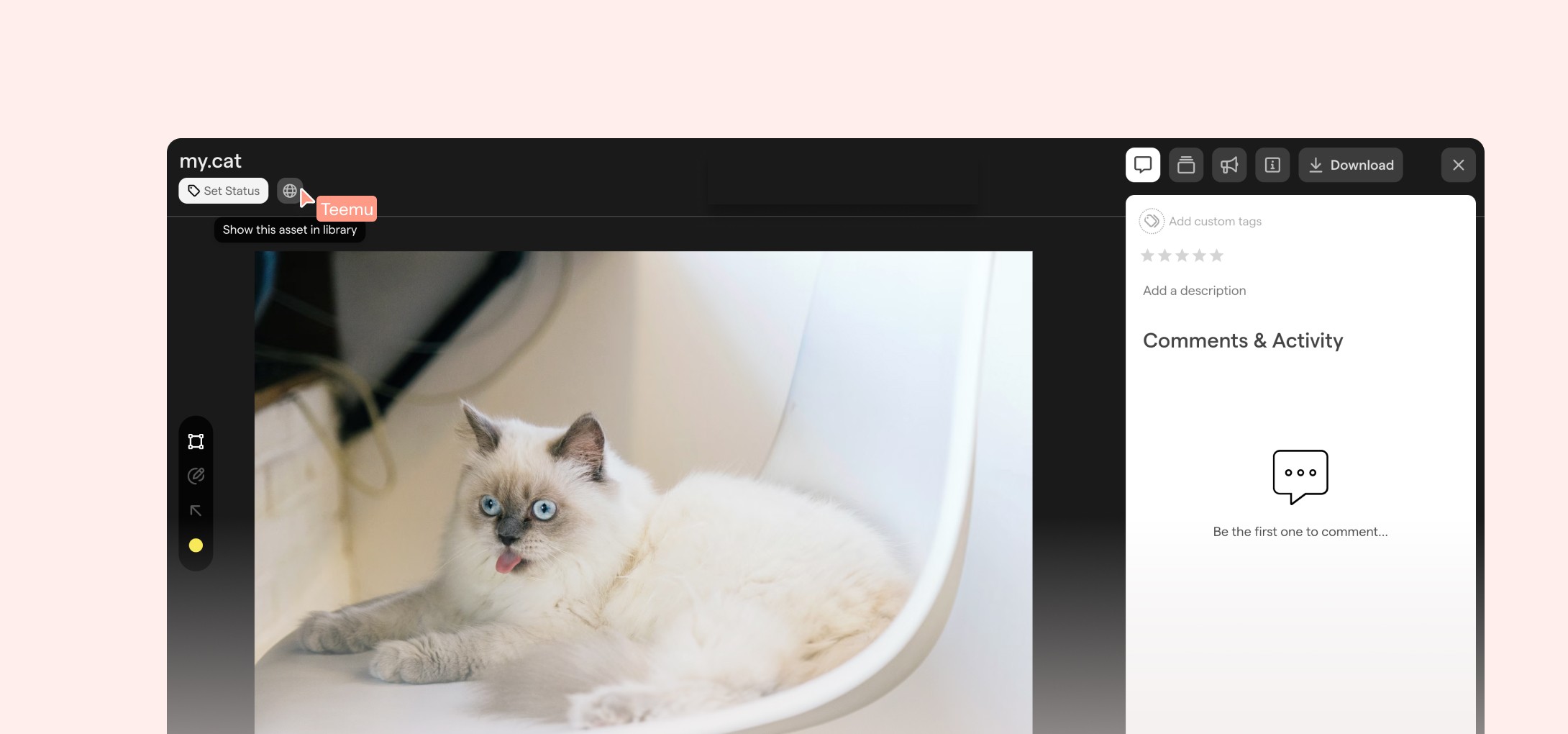
Which makes it available to everyone in your organization and searchable from the public asset library. You can also achieve this by directly importing to your asset library by clicking "Assets" and "Add assets" button, which opens the same dialog.
There are a few constraints for the imported files. At the moment, we are limiting the maximum size of images to 40 MBs and videos to 4 GBs. If you need more, just let us know, and we'll help you out. Also, since this import is only one-way - the asset is not synchronized with the original - it may be best to use it for either global assets (brand assets, fonts) or working files embedded to a specific page.
The way ahead
We have big plans for our Google Drive integration and how we will bring your assets even closer to you, your team and your clients. This will require improved search capabilities, which we already have a hunch on, and a proper two-way synchronization from Google Drive to Focal. We are still, however, a few steps away from making those ideas a reality but stay tuned for updates in the upcoming months. =)
Hope you enjoyed the read, check out Focal if you haven't already to join our private alpha. There are other new cool features as well like Figma integration and templates(?) for you to check out!
Best,
Teemu