Automatically assign unique IDs to new creative concepts
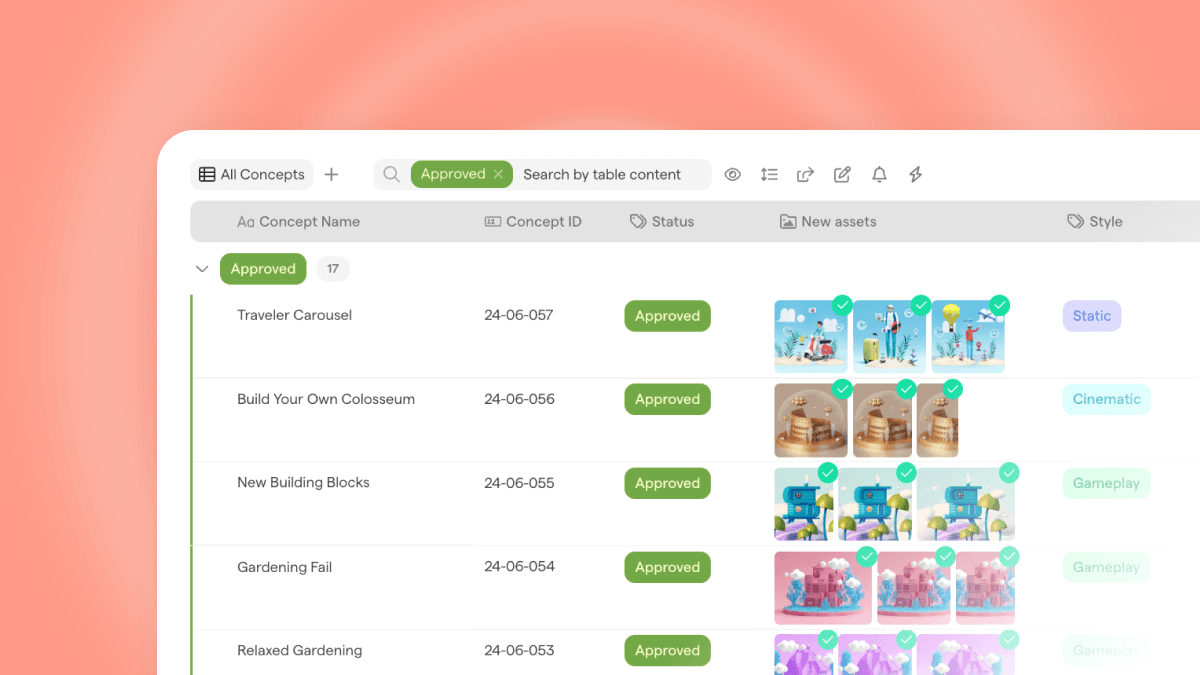
Introducing Unique Creative IDs
We're excited to introduce a powerful new feature in Focal: Unique Creative IDs. This feature allows you to set up custom logic to assign unique IDs to each new creative concept, enhancing your workflow and asset management.
Key Benefits:
Improved Asset Management: Keep asset names short while tracking the performance and attributes of each creative concept through unique identifiers.
Easier search and referencing: Easily reference and locate specific assets in the library using unique IDs.
Better collaboration: Simplify communication within teams by using unique IDs to refer to assets.
How It Works:
Configuration: Navigate to Settings -> Unique ID to configure the ID logic. You can create IDs based on various parameters, such as a timestamp for when the ID was created (e.g. YY-MM) and a running number that resets annually.
Automatic Assignment: Once configured, the unique IDs can be automatically assigned when:
New rows are added to Creative Boards
New assets are uploaded
An automation runs
Integration and Flexibility:
Add the ID column to your creative boards to see IDs automatically generated and displayed.
The IDs are added as metadata at the asset level.
Use the same Creative ID across different boards without worrying about duplicates.
Agencies can create multiple IDs within the same space and assign them to specific boards as needed.