Enhanced search capabilities in the Asset Library
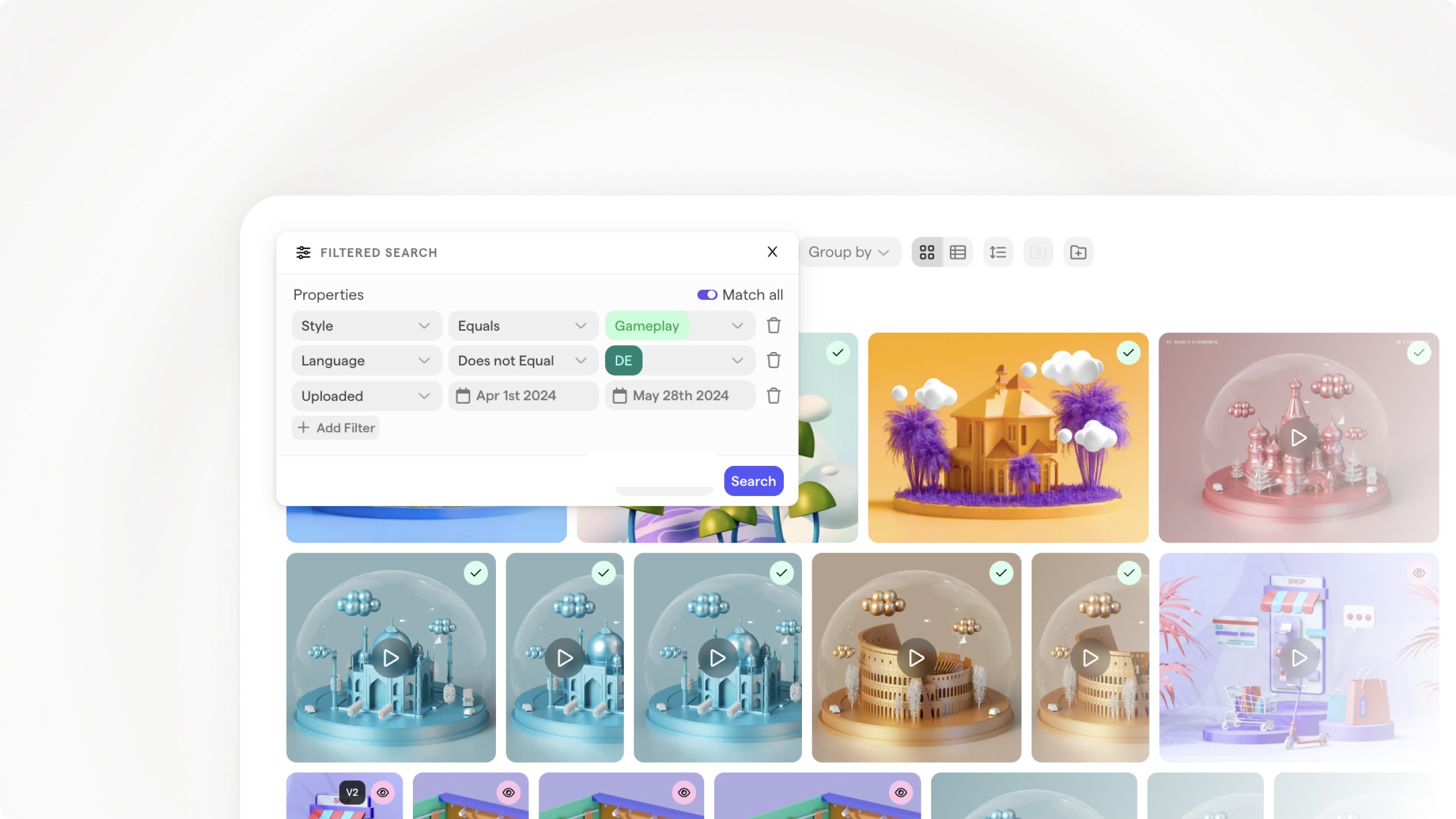
Fully Revamped Asset Search
In this update, we're excited to announce a number of significant upgrades to the search functionality in Focal. Here’s what’s new.
1. Improved keyword search across names, tags and descriptions
When you search by a keyword in the Asset Library, Focal now scans through asset names, tags, descriptions and other asset metadata automatically, showing you all matches sorted by relevance.
2. Advanced filtering options
You can now use both AND/OR filters to combine multiple search terms in a way that suits your needs. Whether you’re looking for assets that meet all your criteria or any of them, the advanced filtering options make it easy.
3. Negative filters
Need to exclude certain keywords or metadata from your search? Our new negative filtering feature allows you to do just that. Just use the the "doesn't contain" and "does not equal" search options to exclude specific parts of your Asset Library.
---
These updates will give you more flexibility when searching for assets, while also offering a quicker way of searching than before.