Instant Sync with Google Drive
Introducing Instant Sync
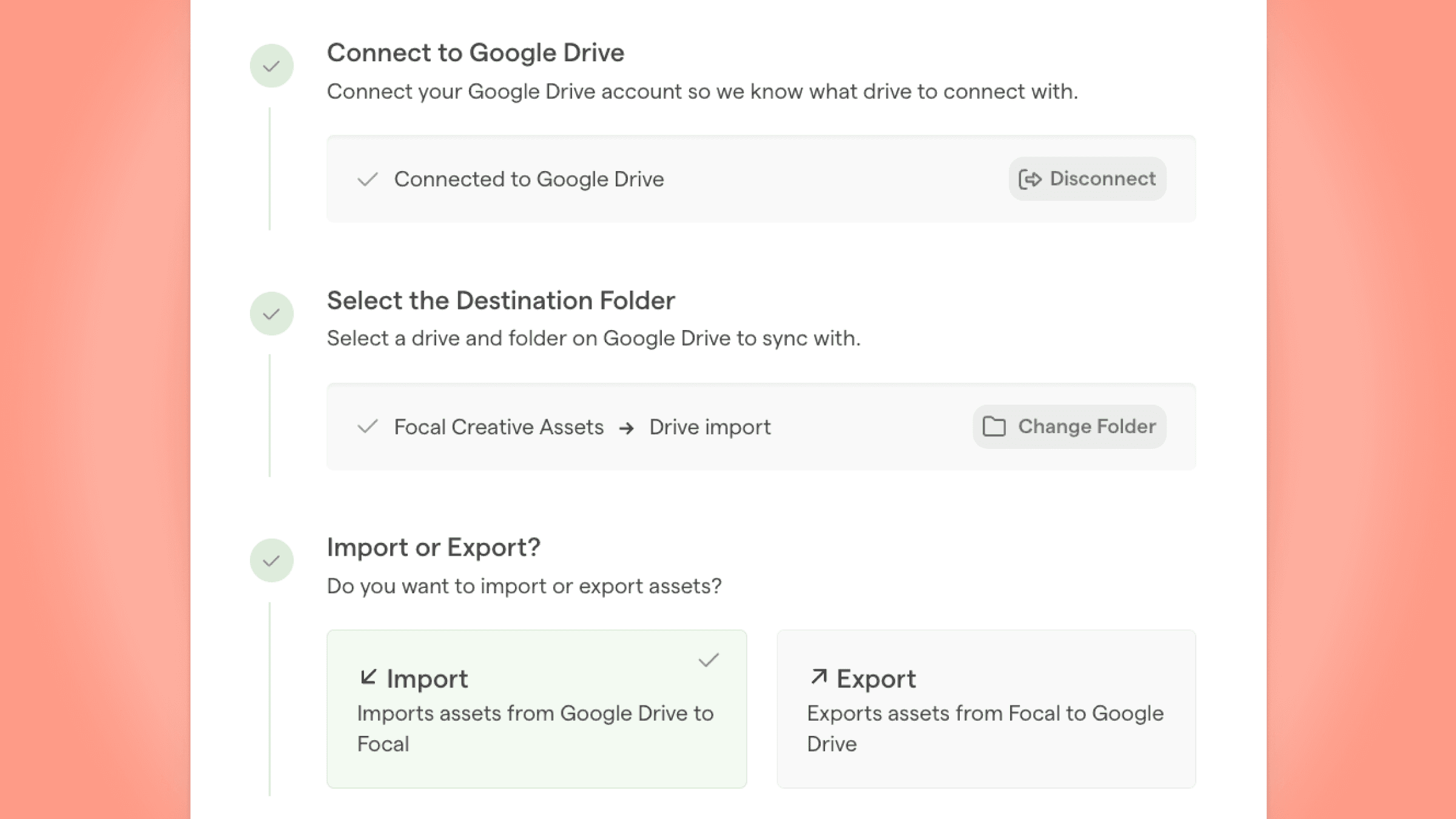
We’re excited to launch the biggest update to Focal this year - Instant Sync with Google Drive. This makes it possible to connect a folder in Focal with a Folder in Google Drive and once connected, Focal automatically replicates the sub-folder hierarchy and all image and videos assets within it across the two environments.
Instant Sync significantly reduces the time spent manually uploading and downloading files. This will help you streamline your workflow and also makes it easier than ever to migrate new content to Focal.
How Instant Sync works
You can choose between importing folders and their assets from Drive to Focal, or exporting folders from Focal to Google Drive. Once the connection is set up, Focal will automatically replicate the folder structure on the other side, and add all image and video files there. As long as the two folders are connected, Focal will automatically track any new additions within that folder structure, and start the transfer for those items.
Example Use Cases
1. AI-tagging existing content in Google Drive. If you're current Google Drive structure feels like a complete mess and it is hard to find existing content, this feature can help. Once assets are transferred to Focal using the Instant Sync, we use AI to generate tags and descriptions, making it easy to search for anything in the assets, including in-asset copy, objects, locations, moods etc.
2. Auto-archiving content in Google Drive. Instant Sync makes it very easy to backup all new content in Google Drive, while also replicating the folder structure created by automations in Focal. This allows your entire organization to have access to newly produced assets, without the manual work from your team.