
Automate creative production processes with Workflows
Automating the time-consuming chores of your creative production just became even easier thanks to Focal Workflows.
Workflows are automation built directly into Focal: triggers and actions that automate the work you do with Creative boards, Asset library and ad channels. Set up a workflow once, and the steps that needed manual work before happen on their own.
The system also includes logs, so you can see what each run changed, and easily find issues or failed attempts.
Here are just a few examples:
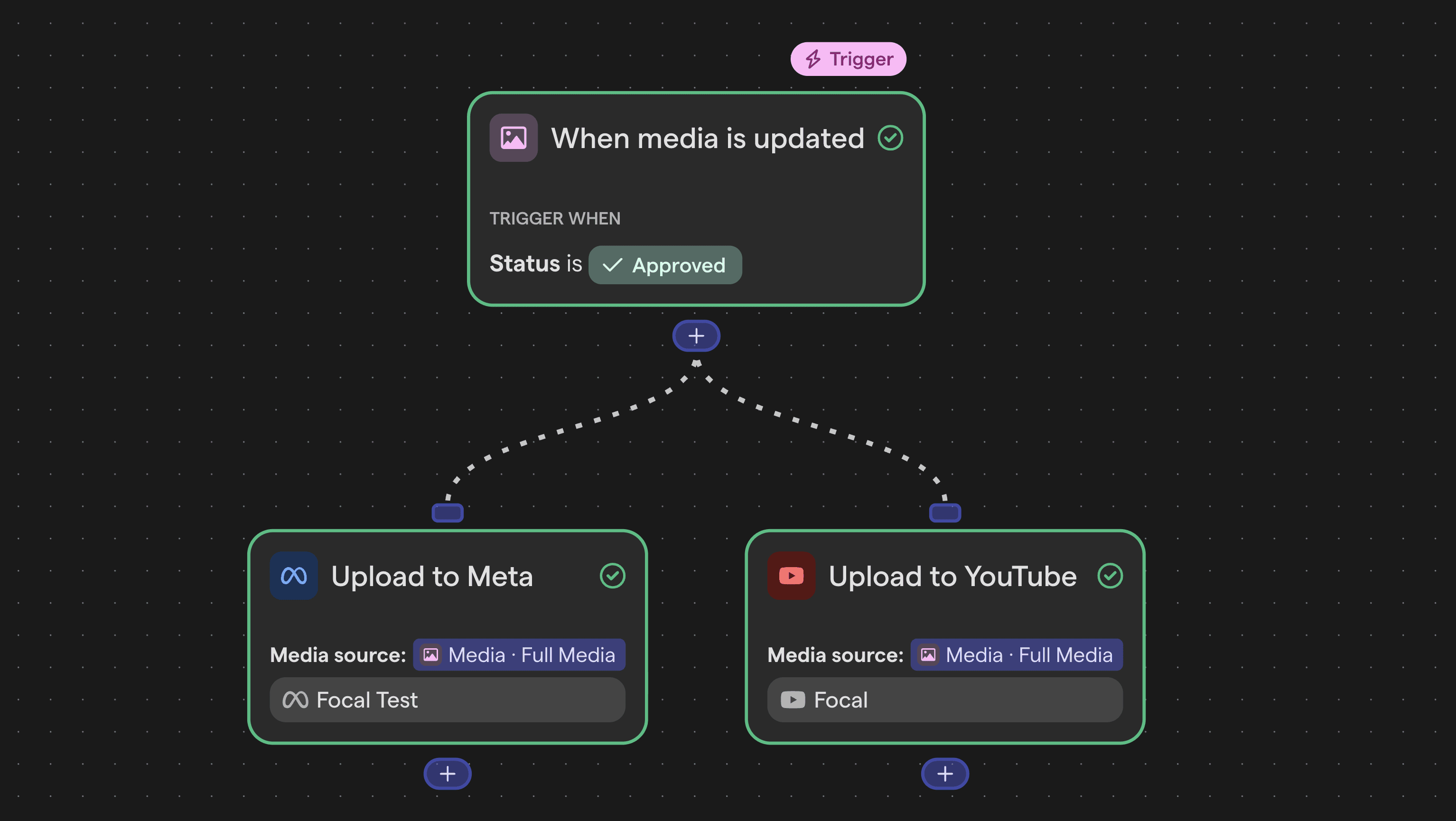
When a board row is marked Approved, Workflows can push the asset directly to your Meta, TikTok and YouTube ad accounts with no download and no manual upload.
When a row is marked Approved, Workflows can send a Slack summary of what shipped and how long it took from creation to completion.
When any trigger fires, you can use the Ask AI action to run AI reasoning inside the workflow: for example summarise a brief or flag an outlier before it reaches the media buyer.
We already support a number of actions with more on the way:
Auto-publish to ad channels: upload an asset directly to Meta, TikTok or YouTube based on a trigger (e.g. creative asset status changing to Approved or getting moved to a specific folder)
Send custom Slack notifications: build alerts from any trigger, beyond Focal's defaults
Create and update media files: Create a file from a URL or change the properties of a media file (e.g. set a label when a file is added to a specific folder).
Trigger AI reasoning: use Ask AI to run a prompt and use the response as a workflow step. E.g. analyze stalling items, create a summary of a completed item, and much much more.
Update boards automatically: create or update tasks when media or status changes. E.g. create a new board task when a new asset is uploaded to Focal (or a specific folder).
Connect to external services: Make HTTP requests for custom integrations.
Trigger actions in Focal via API call: send an API call to Focal from an external system to run automations in-platform. For example, feed a brief written in a 3rd party tool (e.g. Slack) to Focal for your creative production process.
Workflows is available on all Focal plans. Simply navigate to Workflows from the left side menu to get started.