Send data to and from Focal with workflows and the Focal API, so your creative work connects to the rest of your stack.

Custom integrations
Custom integrations with workflows and the Focal API
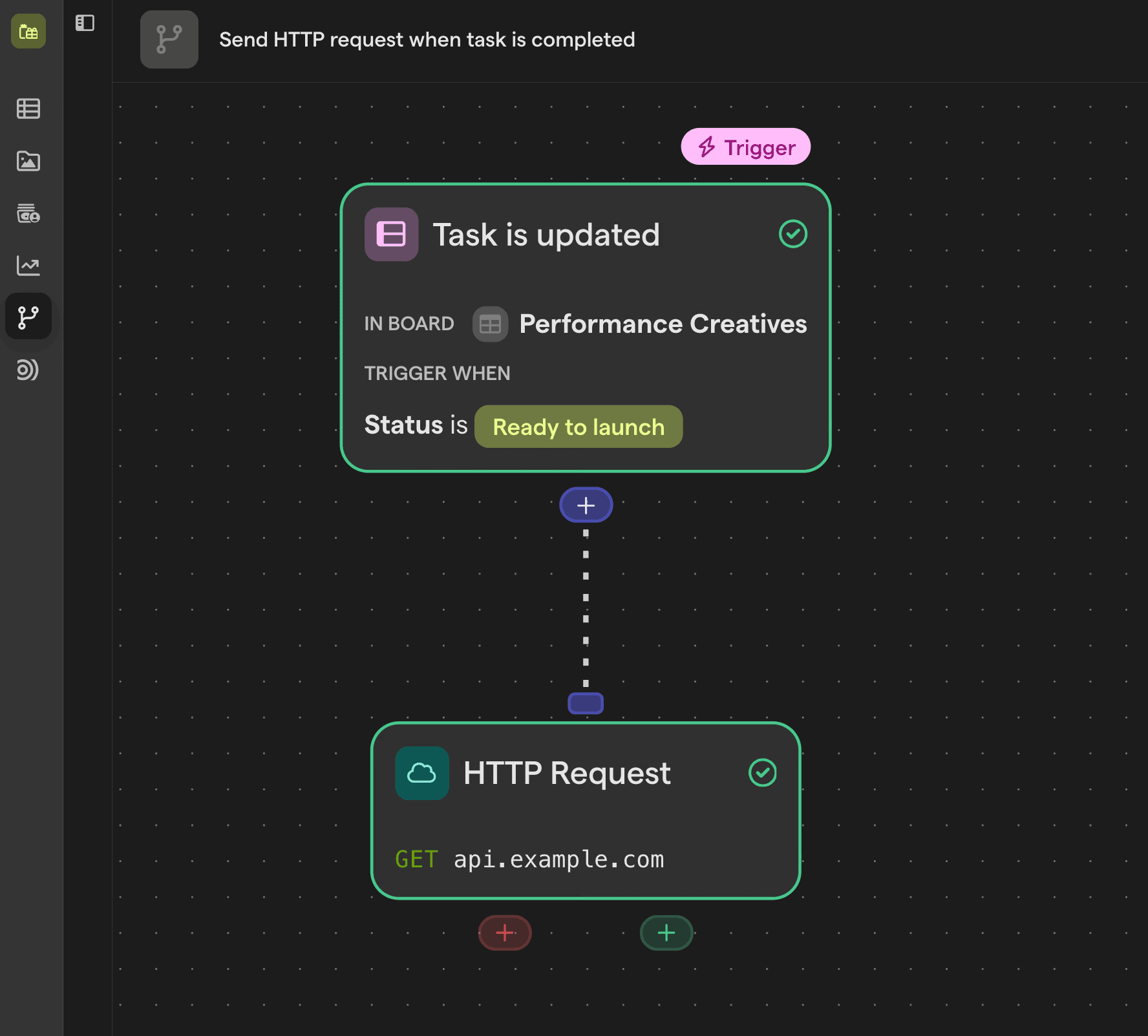
Focal connects to tools without a native integration in two ways. Workflows can call any service with an HTTP request, and they can start from an API trigger that other systems call with their own data. For deeper builds, the Focal REST API gives scoped access to media, attributes, boards and ad performance data.

Focal API
A REST API for your creative data
Read and update media, attributes, folders and board tasks, upload new assets and query performance metrics. API tokens are scoped by permission and space, and the API comes with OpenAPI documentation.
API trigger
Receive data from any system
Give a workflow its own URL and token, and let a form, project management tool or internal system create tasks or media in Focal.
HTTP request
Send data anywhere
Add an HTTP request step to send approved creatives, status changes or task data to another tool, with bearer, basic or API key auth.
Live data feeds
Board tables as live CSV or JSON feeds
Turn a board’s table view into a live CSV or JSON feed with a private URL, for spreadsheets, BI tools or internal dashboards.
Explore related integrations and features
Workflows
Automate uploads, naming, Slack alerts and more.
Creative briefs
Write the brief inside the task, next to the assets.
Slack
Get Slack alerts for new assets, board updates and comments.


