Write the brief inside the task, so the brief, the assets and the feedback live in the same place.

Are your briefs, assets and tasks scattered across platforms?
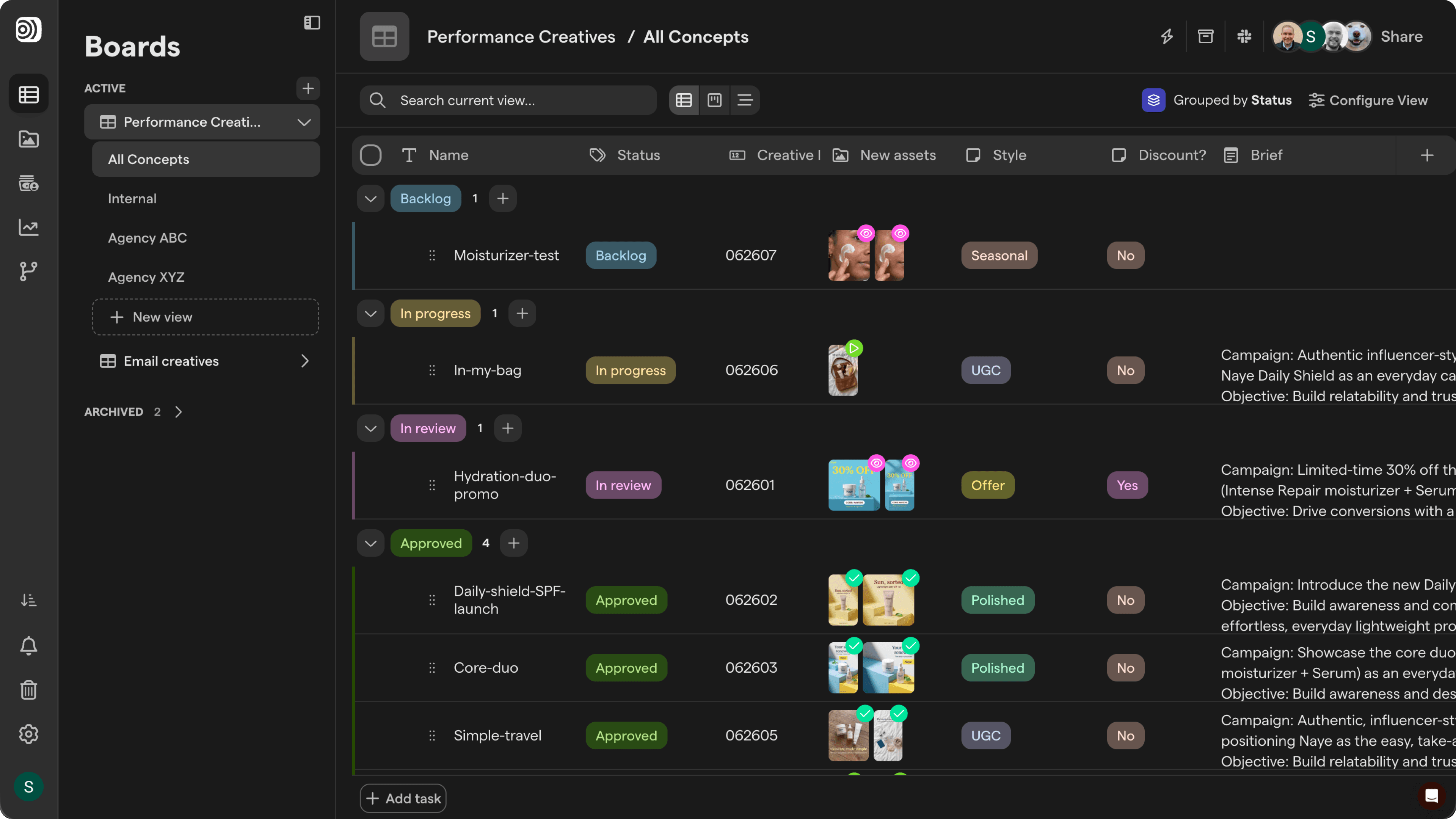
Every creative starts with a brief, and then the brief gets left behind. The editor works from a doc link, the assets land in a folder and feedback goes to Slack, so nobody sees what was asked for next to what was delivered. With Focal, the brief sits on the task.
Creative briefs
Creative briefs inside every board task
Briefs in Focal live in a formatted text field on each board task. Write with headings, lists and tables, upload reference files and mention teammates. The assets delivered for the brief attach to the same task, and agencies only see the briefs shared with them.
Briefs from anywhere
Collect briefs from other tools
Use a workflow’s API trigger to create tasks from a form or another system your company uses. Incoming requests land on the board with the fields already filled in.

Step 1
Create a task
Add a task to a board for each concept or batch.
Step 2
Write the brief
Fill in the brief with the angle, hooks, references and specs, plus fields like channel or due date.
Step 3
Collect the creatives
Editors and agencies upload their work to the task, and review happens on the assets right there.
Explore related features
Kanban view
Move creative tasks from brief to live as cards.
AI fields
Translate copy and fill board fields with AI.
Guest access
Give each agency access to only their own work.


