Best Monday.com alternatives for creative teams (2026)
Monday.com works for most departments, but high production volume creative teams struggle with it. Here's how Focal, ClickUp, Wrike, Asana, and others compare.

Your creative team uses Monday.com because the rest of the company does. So when the creative team needs somewhere to track briefs, approvals and production Monday is just... there. But then you need to juggle a few thousand creative assets or understand what actually performed when used in ads, it doesn't really work for every team anymore. Monday.com is a great task tracker, but not a place creative work actually lives.
We read through hundreds of G2 reviews, dug into our own sales conversations and customer implementations. This piece pulls that research together and lists the following Monday.com alternatives, weighing their pros and cons for creative teams.
Focal
ClickUp
Wrike
Asana
Airtable
Jira
The "DIY combo": Google Sheets paired with Frame.io
The biggest pain point for ad creative and performance teams: Monday.com tracks tasks, not creative assets
Across hundreds of reviews from designers, creative producers and performance marketers, the main problem creative teams highlight with Monday.com is that it tracks the task, not the assets.
One reviewer mentioned that creative assets like emails, ads, landing pages, hero images are treated purely as board of status cards, never as a searchable library. Another reported real performance strain trying to store 5,000 images on a single board.
A performance marketing reviewer highlighted the reporting deficiencies: it "can feel limited compared to dedicated marketing platforms." And Monday.com's own newer AI-agent marketing claims — that assets, campaigns, and performance data all "live together" — don't hold up against what its own reviewers actually describe experiencing (at least at the time of writing this article).
None of this makes Monday.com a bad product. It's excellent at what hundreds of thousands of customers use it for. It's just not built to be where ad creative lives, and neither are most other project management tools (even when built with broader marketing organizations in mind).
Here's how the real alternatives compare.
1. Focal: built specifically for ad creative teams
Read the full Monday.com vs Focal comparison.
Focal is the only tool on this list built specifically for creative project management and assets. It has the tasks referencing the creative, but the assets live natively in the same platform and views. Every creative is tagged automatically on upload by what it actually shows, reviewed and annotated frame by frame in place.
Once approved, everything can be uploaded directly to Meta, TikTok, and YouTube with performance data connected back to it. Unlike with Monday.com, even at the scale of thousands of creative assets a month, you don't need a separate DAM, reporting tool, or even manual uploading to ad platforms.
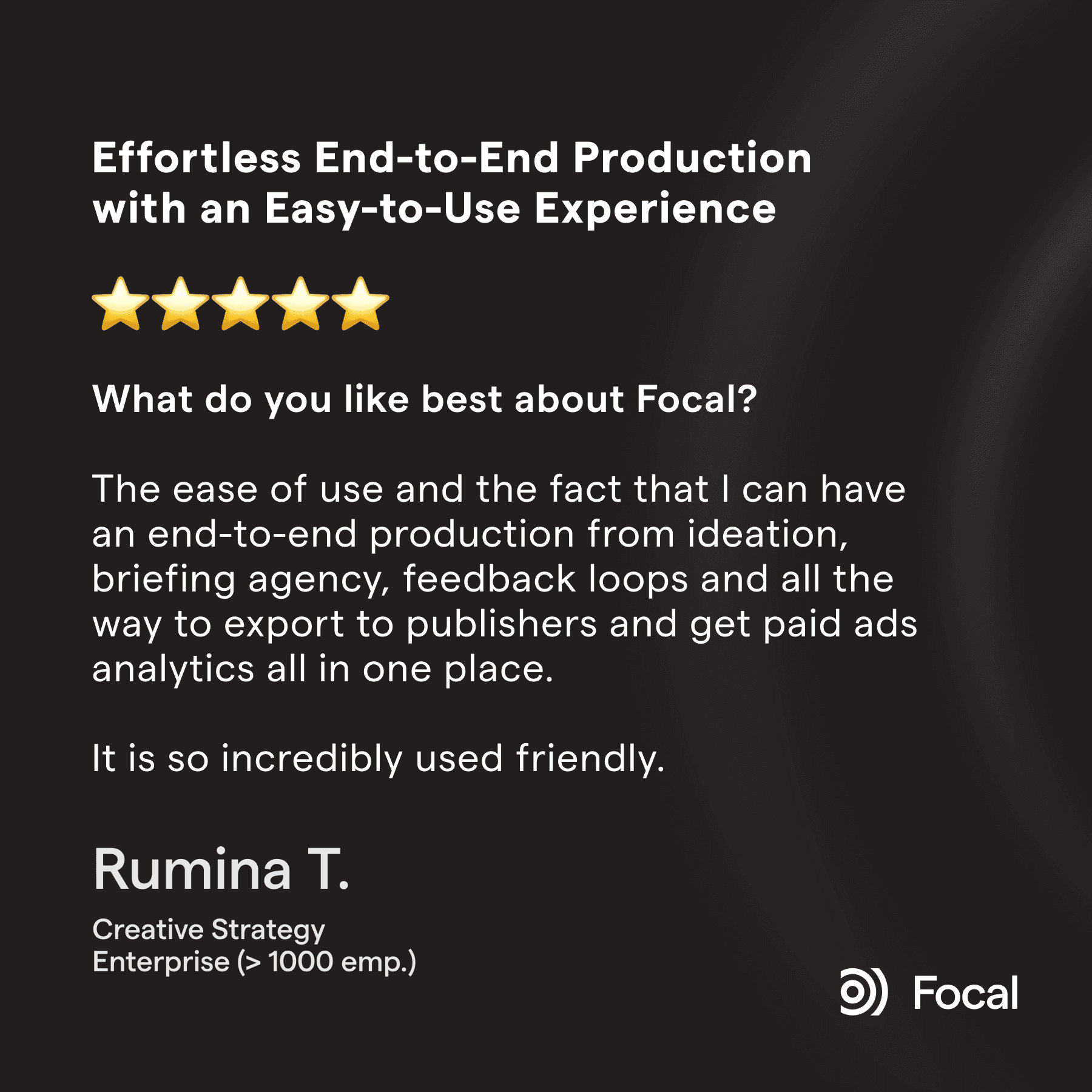
Here's just one example G2 review excerpt that highlights why creative teams end up choosing Focal: it can do everything your creative team needs end-to-end and connects ad performance data on the asset level so you also know what you should produce next.
Best for: teams producing 100+ ad creatives a month who want the asset, the brief, the approval, and the performance data living in one place, directly connected to the project management.
Worth knowing: it's newer than the other tools on this list (4.7/5 in G2 reviews, but there's a lot less review volume compared hundreds or thousands for some of the others), and its own reviewers say it can take some effort to set up with large creative operations given the extensive capabilities (although you can get dedicated onboarding and setup assistance).
2. ClickUp: the most flexible general alternative
ClickUp is genuinely powerful and endlessly customizable, and used by numerous marketers and creative agencies.
The biggest strength of ClickUp is the customizability: it can be modified to suit numerous tasks, so it's a great tool for collaboration across departments and functions. This is exactly why so many marketing teams choose it: it can be modified to fit their setup well.
However, the biggest drawback for creative teams is that is quite limited in how it integrates creative assets. When your creative production volumes increase to hundreds or thousands of ad creatives a month, these gaps in functionality start showing. BeHuman, a performance creative agency, ran their operation on ClickUp combined with four other tools before switching to Focal and cutting delivery time from five weeks to two.
Best for: teams that want one highly customizable tool for creative tasks that can also serve as a lightweight CRM, and are fine pairing it with Frame.io, Google Drive and similar tools for creative review and file storage.
You can read the full ClickUp vs Focal comparison here.
3. Wrike: great for complex organizations with solid built-in proofing, but limited ad platform support
Wrike is the only general tool in this list with genuine native review and annotation. It works well and is a real strength most of the others options lack. Some rendering issues have been reported with the proofing though. E.g. PDFs exported from Illustrator can show up with broken gradients and color glitches.
Where Wrike shines is when you are dealing with a large number of files (especially non-creative assets) and have a complex organization with complex workflows to take into account, as it can be customized very well to this type of use case. It has also been on the market for quite a while, so there are quite a few people already familiar with it.
The major drawbacks for creative teams are on the data side. Wrike has no native upload to Meta, TikTok, or LinkedIn — a Paid Social reviewer on G2 flagged this directly, and Wrike's own team confirmed the gap in their public reply. It doesn't support syncing the creative assets and the performance data either, so at large creative volumes figuring out what worked and what type of creative to produce next can be a chore.
Best for: teams that specifically value built-in proofing and are managing large, complex, cross-departmental project portfolios, not just creative.
You can read the full Wrike vs Focal comparison here.
4. Asana: clean interface, the same underlying gap
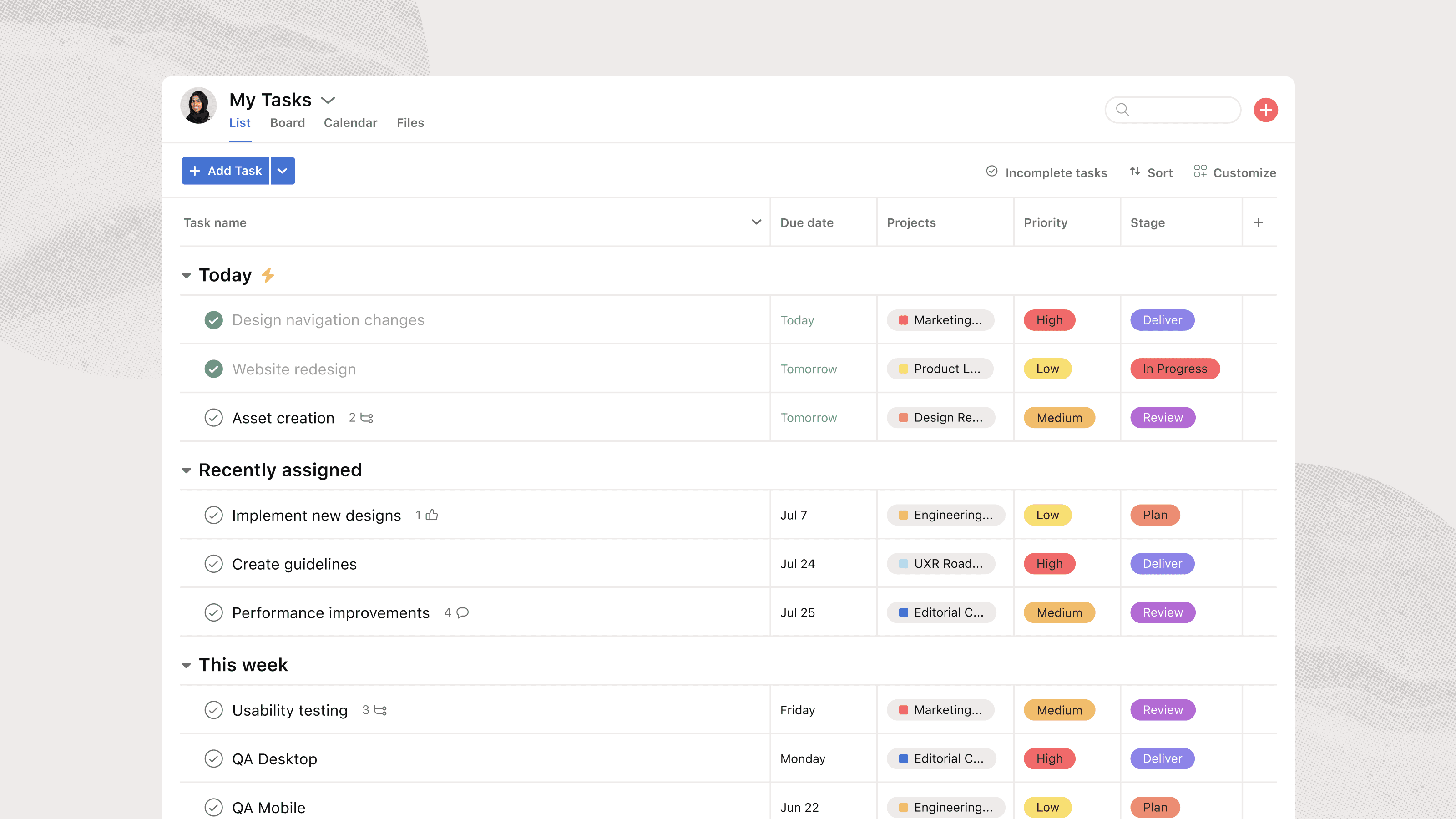
Asana is one of the best-reviewed general project tools out there as it is customizable, flexible and genuinely well-liked. Many people swear by it's clean interface and there are a lot of experienced users around. Especially if you have a dedicated project manager in your marketing organization, Asana can be a great choice.
Asana's task view is nice and clean, which is also mentioned by reviews. Image from G2, September 2026.
Similar to Wrike, many users highly rate it's suitability for complex projects thanks to task dependencies, milestones and flexible subtasks.
Another major benefit is that, at the time of writing, there is free plan for personal use that supports two users so it's great for getting simple projects off the ground fast.
Asana also integrates with some other tools creative teams tend to use together with it in their workflow such as Google Drive and Frame.io. However, these integrations can be a bit lacking. A real creative agency Founder and Creative Director described these integrations with Google Drive and Frame.io on G2 as "more of a link-drop than a true two-way sync," meaning the actual files still live somewhere else.
Some reviewers also wish for native team chat, since conversation "lives in task comments" and gets buried.Asana doesn't support ad performance data either, so it has the same limitations for teams producing high volumes of ad creative.
Best for: teams that need one well-liked tool for general project management across departments and are comfortable with asset storage and reviews living in third-party platforms like Google Drive and Frame.io.
You can read the full Asana vs Focal comparison here.
5. Airtable: a flexible DIY database approach, but the recent acquisition raises questions on plans and pricing
Airtable is great for teams that want more structure than a spreadsheet but don't want to commit to a dedicated PM platform. We've seen prospects build their own creative trackers in it for exactly this reason. It can work great for extending the work you do with Monday.com, but probably isn't a great fit as a full replacement. Some teams not yet on, but considering Monday might find it an interesting alternative though.
It's flexible and genuinely good at custom views and relational data. It also works well with third party automation tools like Zapier, so if you're comfortable building custom logic and automation, you can very cost-effectively do a lot with it.
As it's mainly a spreadsheet application, there's very little built-in creative functionality of course. There's no native visual tagging or search, but if you're mainly interested in a robust spreadsheet/database solution, it's a great option.
One thing that raises questions though is that Airtable was acquired by Bending Spoons in September 2026, a company notorious for multiple acquisitions (Evernote, WeTransfer, Meetup) where steep price increases and heavy staff cuts followed shortly after. E.g. Evernote's pricing roughly doubled. That's not a reason to rule Airtable out today entirely, but it's worth thinking about pricing and support stability before building a creative workflow on top of it.
Best for: small teams that want a flexible, database-style tracker with more flexibility compared to Google Sheets, and are comfortable building their own structure from scratch.
6. Jira: works when your company already runs on it
Jira almost never gets chosen by a creative team on its own merits. It gets inherited, usually because engineering already runs the company on it and IT would rather standardize on one tool.
Reviewers confirm this split directly: one review described it as "more tailored to engineering teams than to marketing users," and a senior UX designer with seven years on the platform said plainly that it's "too complex for creative workflows... not used by everyone in Marketing." Jira tickets are text and links; the creative asset itself lives somewhere else entirely.
It lacks all of the essential visual asset functionality, so it needs to be paired with several other tools. One thing it does have going for it is very granular organization-level permission controls, field setup and filters (e.g. several different levels of admins), so if you need precise control in your internal organization around who specifically at your company has access to what, Jira is a great choice.
Similar to Asana, it can also work well in a marketing org. where you have a dedicated project manager that handles most of the actual task management in the platform.
Best for: creative teams who have no real choice because the rest of the company is on Jira, and want the least amount of friction handing work back and forth with engineering and product organizations.
Read the full Jira vs Focal comparison here.
The DIY combo: Google Sheets and Frame.io (+Slack, email, Notion, ChatGPT, etc…)
Plenty of smaller teams and agencies run exactly this setup instead of picking a dedicated tool: a spreadsheet for tracking briefs, status and asset naming conventions, Frame.io for video review, and Google Drive for the actual files. It's worth mentioning here, but if you already have Monday.com in use and have at least a dozen or so users, this setup is unlikely to be worth your time.
In practice you also need Slack, email or something similar to handle the messaging in between. If you want light automation on top, you can get there with Claude or ChatGPT quite easily. Some Google Docs or a dedicated document app like Notion for briefing creators and designers.
This setup is cheap and works at lower creative volumes. Frame.io is a solid review tool as well - especially if you need to work with external partners (like creative agencies with multiple clients).
The problems show up once you start going beyond a hundred ad creatives a month:
Naming conventions exist in documentation, but are poorly enforced
The spreadsheet and the review tool drift out of sync with each other
Every asset still needs to be manual downloaded to your computer and then uploaded to ad accounts, which doesn't sound much but starts taking a meaningful amount of working hours with hundreds of assets.
The tool creep can get excessive really quickly, and the initially cheap setup can become expensive with more users. It's also good to remember that multiple systems also mean multiple places where context lives, so there is more context switching and information is easy miss, assets get lost and work gets delayed.
This is closer to a starting point than a real system, and it's usually the exact stack teams are trying to escape when they start looking at any of the tools above.
You can find the full Frame.io vs Focal comparison here.
How to choose the right tools for your creative team?
The best fit for each creative and performance team is different based on the needs.
Staying on Monday.com can be a perfectly valid choice. If things feel tool cluttered, you might be able to fix some of the issues by cleaning your setup up, hiring a dedicated project manager, or adding some third-party automation tools on top. However, this is unlikely to fix the core pain points of creative teams specifically since Monday.com wasn't really built for their full workflow.
The more established, general-purpose project management tools like Jira or Asana can work great if you need a single tool across departments and functions - especially if you have dedicated project managers and/or need granular access controls inside your company.
Wrike is a great option if you have very complex projects.
Airtable or the Google Sheet + Frame.io (+other) DIY stacks are a good place to get started especially if you have technical knowhow or experience from third party automation platforms like Zapier. However, if you are already using Monday.com, you probably have at least a dozen users already and it is unlikely that your operation is simple enough to benefit from this setup.
ClickUp is a good choice if you want a lot of customizability and want to build in custom use cases these platforms don't typically solve like using it as a lightweight CRM.
If you are producing high volumes of creative that is used in advertising, and the team's actual bottlenecks include finding, tagging, reviewing, and launching the asset itself, enforcing naming conventions, understanding how creatives performed in advertising, and what kind of creative to build next, Focal is a great option.
And even if we do say so ourselves, at bigger companies Focal is well-suited to be used together with some of the more general-purposes PM tools. We can even integrate them to an extent so tasks move between the systems.)
Petteri Jalonen
